Docker Engine with Nvidia GPU Support
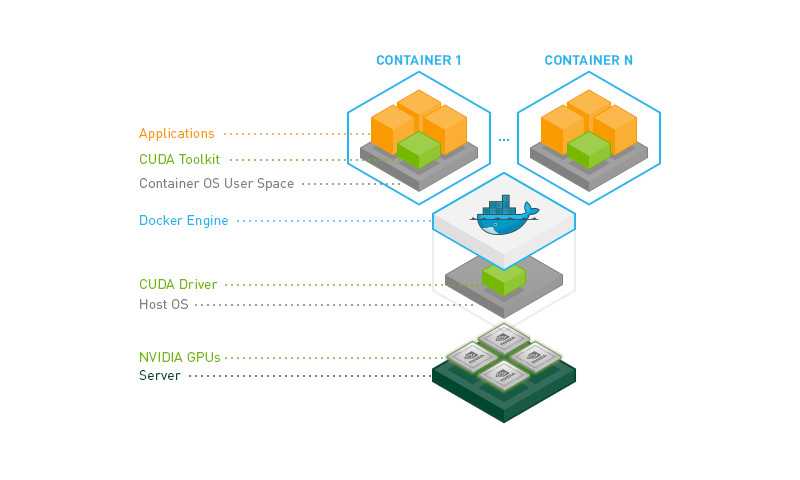
By default, Docker containers do not have access to the GPU. However, you can enable GPU support in Docker by using the NVIDIA Docker. This post is a step-by-step guide to enabling Nvidia GPU support in Docker Engine.
Prerequisites and Verification
Before you start, ensure you have installed the NVIDIA GPU drivers on your system. You can check the driver installation by running the following command:
$ nvidia-smiAnd you can also verify your docker engine installation by running:
$ docker run --gpus all nvidia/cuda:10.1-runtime nvidia-smiIf the command returns the GPU information, the drivers/docker engine is installed correctly.
Install NVIDIA Container Toolkit
If GPU support is not enabled, you can continue with the following steps to install the NVIDIA Docker.
(root)# curl -s -L https://nvidia.github.io/nvidia-docker/gpgkey | apt-key add -
(root)# DISTRIBUTION=$(. /etc/os-release;echo $ID$VERSION_ID)
(root)# curl -s -L https://nvidia.github.io/nvidia-docker/$DISTRIBUTION/nvidia-docker.list | tee /etc/apt/sources.list.d/nvidia-docker.list
(root)# apt update --fix-missing && apt-get install -y nvidia-docker
(root)# systemctl restart docker